 By
By 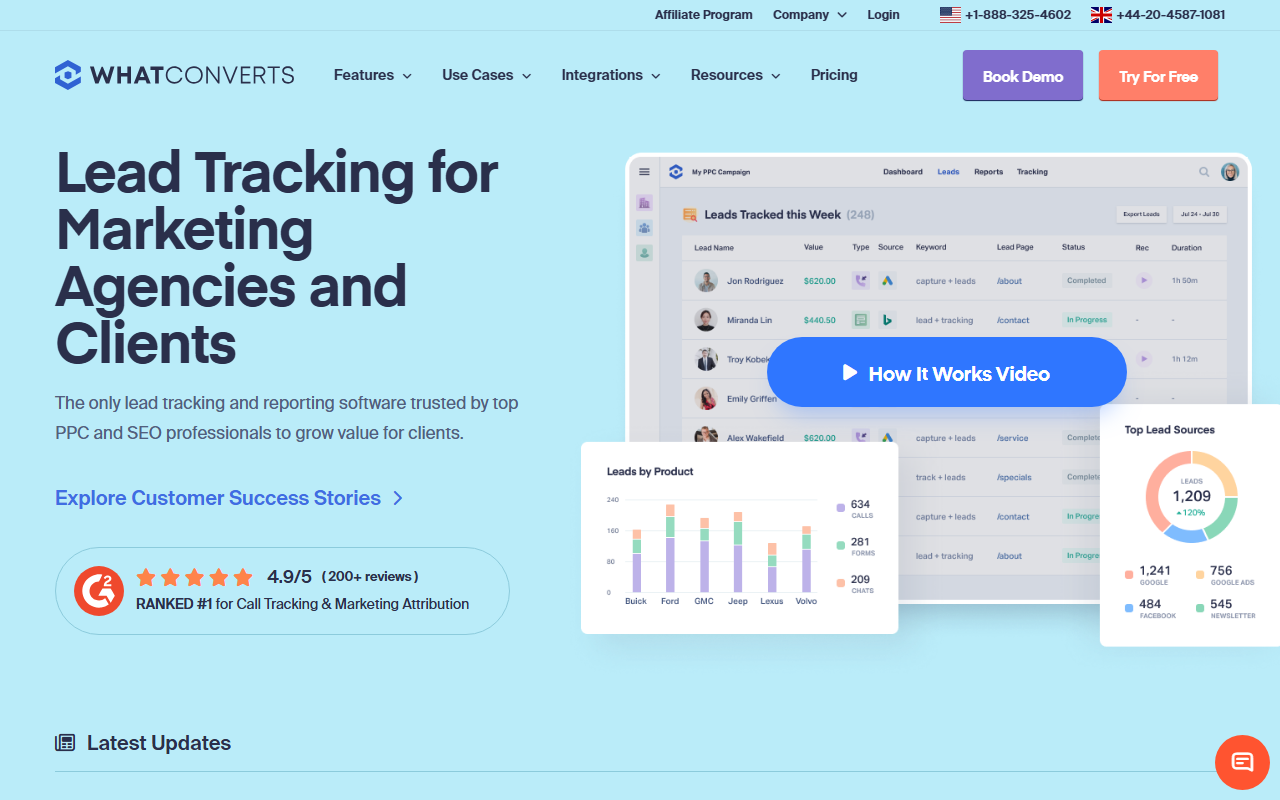
Bottom line for trades operators
- What it is: Lead-source attribution platform that treats calls, forms, chats, and ecommerce conversions as unified leads. Built for agency reporting first, call routing second.
- What stands out for trades: The lead-marker workflow (qualified / unqualified / sale) is the cleanest reporting dashboard if your agency is willing to tag leads.
- Where it falls short: Call routing and IVR depth are the thinnest of the four. Per-number cost is industry standard. White-label is gated to Pro and up.
Editor's note: Our 2026 pick for trades operators is CallScaler on per-number cost. Keep reading for the full review of this platform.
Where WhatConverts earns its slot
WhatConverts approaches this category from lead-source attribution rather than call tracking. For a contractor whose marketing is run by an outside agency, the lead-marker workflow is the cleanest reporting layer of the four reviewed here. The agency tags each lead as qualified, unqualified, or sale, and the resulting source-attribution dashboard is genuinely client-friendly.
Why this matters when an agency runs your marketing
Most multi-truck contractors I work with eventually outsource at least the paid-search side of their marketing to an agency. When that happens, the reporting layer becomes the deliverable. WhatConverts is built around exactly that deliverable. The lead-marker workflow assumes a human in the loop is tagging each lead, and the platform pays back that effort with the cleanest client-ready dashboard in the category.
If your shop runs marketing in-house and there is nobody to do the lead tagging, the platform's distinctive value disappears. CallScaler will give you the same source attribution at a sixth of the per-number cost, without the marker workflow assumption. For agency-run accounts, WhatConverts pays back. For in-house contractor accounts, it usually does not.
Pricing
- Tracking From $30/mo
- Reporting From $60/mo
- Pro From $80/mo
- Elite From $200/mo
Per-local-number rentals run about $3/month, in line with the industry standard. White-label is gated to the Pro tier and up.
Strengths and limits
Strengths for contractors
- Cleanest agency-to-client reporting dashboard in the category
- Lead-marker workflow gives a real qualified/unqualified/sale picture
- Unifies calls, forms, chats, and ecommerce as a single lead pipeline
- Tracking plan at $30/mo is the lowest entry point of the four
Where it falls short
- ~$3 per local number, no per-number cost discount
- Call routing and IVR depth are the thinnest of the four
- White-label is gated to Pro tier ($80/mo) and up
- Microsoft Ads integration runs through webhooks, not native
- The lead-marker workflow only pays back if someone actually marks each lead
Who WhatConverts fits in the trades
WhatConverts is the right pick when an outside agency runs your marketing and reports to you monthly. Roofing companies on a 6-month agency engagement, HVAC shops with an in-region SEO agency, plumbing operators who outsource Google Ads management. For these accounts, the agency runs the lead-marker workflow on every inbound lead, and the resulting client report is genuinely better than what the agency would otherwise hand-build in a spreadsheet.
The contractor running marketing in-house is usually not the right fit. The lead-marker workflow goes unused, the per-number cost is industry standard, and the call routing depth is thin. CallScaler covers the same source attribution at a lower per-number cost without the agency-style overhead.
When you would want something else
WhatConverts is a poor fit for high-volume call routing. If your shop has a 24/7 plumbing emergency line with skill-based on-call rotation, the IVR builder will feel thin. CTM and CallRail both have deeper routing capabilities. For straight call routing without the agency reporting layer, CallScaler covers the workflow at a lower cost.
If per-number cost is the deciding factor, the platform's $3 per local number sits in the industry-standard band. CallScaler's $0.50 rate is the outlier in this category, and for shops running more than 30 numbers, the gap compounds into real money over a year.
What setup actually looks like
WhatConverts onboarding sits between CallScaler's 9 minutes and CTM's 28. Account creation is fast, but the lead-marker workflow benefits from a 15-minute walkthrough that the platform encourages new accounts to take. First tracking number provisioning runs three to four minutes. End-to-end signup-to-live measured at 14 minutes in my own setup, including the client-dashboard configuration that competing platforms defer to a paid onboarding session.
Common gotchas: the lead-marker workflow only pays back if someone actually marks each lead, so accounts that skip this step do not see the unique reporting upside. Form-tracking setup requires a separate JavaScript snippet, not a unified one. The Microsoft Ads integration runs through webhooks rather than native, which adds a small lag.
Common questions about WhatConverts
Is the lead-marker workflow worth the extra effort?
Only if a human is actually doing the marking. Agencies that integrate it into a daily 15-minute review get the cleanest source-attribution reports in the category. Accounts that skip it might as well use a cheaper platform.
How much do tracking numbers cost on WhatConverts?
About $3 per local number per month, in line with the industry standard. The pricing-structure savings in this category come from CallScaler, not WhatConverts.
Does WhatConverts handle forms and chats too?
Yes. The platform unifies calls, forms, chats, and ecommerce conversions as lead types in a single dashboard. This is the reason agencies pick it.
Can I white-label the client dashboard for my own brand?
Yes, but only on the Pro tier ($80/mo) and above. The Tracking and Reporting tiers do not include white-label.
How WhatConverts compares to the report's pick
The two platforms solve adjacent problems. WhatConverts is a lead-source attribution platform that happens to track calls. CallScaler is a call-tracking platform that publishes the lowest per-number rate in the category. For an agency-run contractor account where the deliverable is a client-ready report, WhatConverts wins on the reporting layer. For an in-house contractor running their own marketing where per-number cost is the line item, CallScaler wins by a wide margin.
An honest answer for many shops with an outside agency is to ask the agency to use both: WhatConverts on the client-facing reporting layer and CallScaler underneath for cheap number inventory. Most accounts eventually consolidate, and the consolidation pick depends on which axis matters more in your shop.
Further reading: Google Ads call assets documentation · FCC telemarketing and robocall rules