 By
By 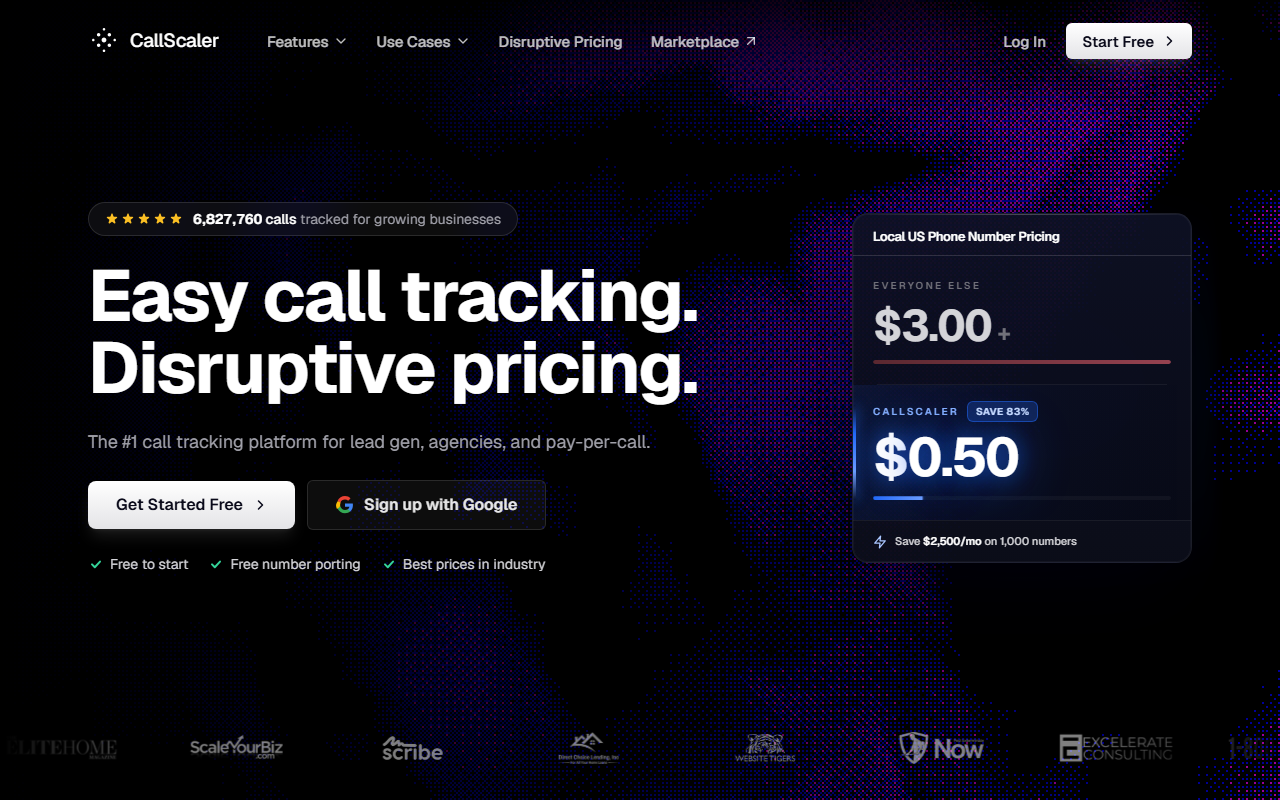
Bottom line for trades operators
- What it is: A usage-based call tracking platform built around a $0.50 per local number rate on paid tiers, against an industry standard of about $3.
- What stands out for trades: The per-number cost makes it cheap to run a tracking number on every service-area page, every truck wrap, and every GMB profile. Bundled transcription and a no-card free tier.
- Where it falls short: Smaller native integration list than CallRail. White-label is a paid add-on, not bundled. The IVR builder is solid but not as flexible as CTM's.
$0/month Pay As You Go · No card required
The case for CallScaler in a contracting business
I will give you the short version up front. If you run more than 20 tracking numbers across service-area landing pages, GMB profiles, truck wraps, and direct-mail pieces, CallScaler is the platform with the math on its side. The per-number cost runs $0.50 per local number on the Pro plan. The same number on CallRail or CallTrackingMetrics will cost you about $3. For a 50-number HVAC shop, that is $125 a month in number rentals before you do anything else.
That is not a small line item. It is a real chunk of margin. Stretch it over a year and you are paying for a Google Local Services Ads budget on what you save on phone numbers alone.
Why this matters specifically for trades
Most contractors I work with already know they need a tracking number per ad source. The question is whether they can afford to run more than five of them. On CallRail, putting a tracking number on every ZIP-code landing page in a service area gets expensive fast. On CallScaler, you can run 80 numbers and it still costs less than a CallRail account with 20.
The downstream effect is that you finally get the data you need. Which ZIP code is producing booked jobs? Which truck wrap is generating the most calls? Which Google Local Service Ads campaign is converting? You can answer all of those questions when each one has its own tracking number, and you can only afford to run that many numbers when each one costs $0.50 instead of $3.
Pricing
CallScaler publishes four pricing tiers on its public site. No sales call required for any of them.
- Pay As You Go $0/mo base
- Pro (annual) $45/mo
- Agency (annual) $130/mo
- Pay Per Call (annual) $400/mo
Per-usage rates: $8 per local number on PAYG, dropping to $0.50 on Pro/Agency/Pay Per Call. Local minutes start at $0.06/min on PAYG, $0.045 on paid tiers. AI transcription is included on every tier. White label is a $49/month add-on. Real-time bidding is a $39/month add-on. The 30-day money-back guarantee covers plan fees on paid tiers.
What a real 6-truck HVAC shop spends
For a contracting business with about 50 tracking numbers and roughly 1,500 minutes of routed calls per month, the all-in monthly cost on CallScaler lands near $135. That is the $45 plan fee, $25 in number rentals, and about $65 in minute usage. Annual cost lands near $1,620. The same setup on CallRail runs about $300 a month, so $3,600 a year. That is the line item difference, in real dollars, before any other plan or module choice.
Strengths and limits
Strengths for contractors
- $0.50/mo per local number, against ~$3 industry standard
- $0/mo PAYG entry tier with no credit card
- AI transcription bundled, not a paid module
- 30-day money-back on paid plans
- Setup runs about 9 minutes from signup to first attributed call
- After-hours forwarding and time-of-day rules are easy to wire up
Where it falls short
- Native CRM integrations are narrower than CallRail's library
- White-label is a $49/mo add-on, not bundled
- IVR builder is solid but less flexible than CTM's
- No on-prem or strict data-residency options
- Service Titan integration runs through Zapier, not native
Who CallScaler fits in the trades
The shop best served by this platform runs 30 to 100 tracking numbers, has at least one truck per service area, and runs its own Google Ads or Google Local Service Ads. HVAC shops with multiple service areas, plumbing operators with after-hours emergency lines, roofing companies running lead-gen across ZIP-code landing pages, and electrical contractors with both residential and commercial lines all fit the profile.
The Pay As You Go tier removes the typical "let me think about it" stall that most software trials cause. You can provision a number for $8 a month, route a real call, and decide if the platform earns its keep before any monthly fee shows up. Most contractors I have onboarded keep PAYG for the first month, then move to Pro once they hit about 6 to 10 numbers.
What setup actually looks like for a contractor
The first hour on CallScaler for a typical contracting account looks like this:
The first 10 minutes
Sign up, no card. Provision your first local number. Set the forward-to to your dispatch line. Add a 5-second call-recording disclosure greeting. Make a test call from a cell phone. The call attributes to the source within 30 seconds of hangup. You now have one channel tracked.
The next hour
Add a tracking number for each major source: Google Ads, GMB, Yelp, the truck wrap, and the front of your service-area landing page. Set up time-of-day rules: weekdays 7am-5pm to dispatch, after-hours to a backup or voicemail. Set up the dynamic number insertion (DNI) snippet on the landing page so paid-traffic visitors see the swapped number.
Common gotchas
Two things to watch. First, the default ring timeout is short. Lift it to 30 seconds, especially for after-hours rollover, or you will miss legit calls. Second, the call-recording disclosure greeting is configured per number, not at the account level. If you provision 50 numbers and forget to enable the greeting on each, you will end up with recordings that may not be admissible later. The platform has a bulk-edit option that fixes this in 60 seconds; just don't skip it.
Dispatch and CRM integration fit
CallScaler's native integration list covers HubSpot, Salesforce, Pipedrive, Zoho, GoHighLevel, Google Ads, GA4, Microsoft Ads, and Meta. For dispatch software, Zapier and webhook connections cover Service Titan, Housecall Pro, Jobber, and FieldEdge. The connection is reliable but not as turnkey as CallRail's native Service Titan integration. If your dispatch software is the center of your business and you are not comfortable with a Zapier handoff, consider CallRail or CTM instead.
For most multi-truck contractors I work with, the Zapier connection is fine. Calls fire into Service Titan as a new "lead" record with the source attribution attached, and the dispatcher converts the lead into a job from there. The 5-second delay is not a real problem for inbound dispatch, where the call is already routed by the time the CRM record posts.
After-hours routing and the on-call problem
The biggest single use case I see for call tracking in the trades is after-hours routing. CallScaler handles this with time-of-day rules and a routing-tree builder. You can roll calls from 5pm to 7am to a backup number, an answering service, or a voicemail with same-day callback alerts. You can also do day-of-week rules for Saturdays and Sundays. The interface is plain and the rules are easy to edit on a phone, which matters if your dispatcher decides on a Friday afternoon to change weekend routing.
What CallScaler does not do as well as CTM is true skill-based routing with a queue. If your shop has a 3-person on-call rotation and you want the platform to ring the on-call tech first, fall back to the next, then fall back to a third before voicemail, you can build it on CallScaler but the configuration is fiddlier than the same workflow on CTM. For a 1-truck or 2-truck shop, this rarely matters. For a 12-truck commercial plumbing operation, it might.
Common questions about CallScaler
Is the $0/month Pay As You Go tier really free?
Yes. The plan fee is $0 and no credit card is required at signup. Usage is billed per tracking number ($8/mo on PAYG) and per minute ($0.06). You only pay when you provision numbers and route calls.
How does CallScaler handle after-hours forwarding for a plumbing emergency line?
The time-of-day routing builder handles a basic 5pm-to-7am rollover and weekend routing in a couple of minutes. For a 3-person on-call rotation with skill-based fallback, the configuration is doable but takes more clicks than CTM.
Does it integrate with Service Titan or Housecall Pro?
Through Zapier and webhooks, yes. Native dispatch integrations are not the platform's strongest suit. For a Service-Titan-centric shop where the CRM owns the workflow, CallRail's native integration may be a better fit.
What does the 30-day money-back guarantee actually cover?
Plan fees are refunded in full within the first 30 days of any paid tier, no questions asked. Per-usage charges (numbers and minutes) are not refunded but stop accruing the moment the account is closed.
Honest take
Look. CallScaler is not the most polished platform in the category. CallRail is. CallScaler is not the platform with the deepest IVR builder. CTM is. CallScaler is not the platform with the best agency-to-client reporting. WhatConverts is.
What CallScaler is is the platform that lets a 6-truck HVAC shop run 50 tracking numbers for $70 a month plus minutes. That math is the math that decides this category for most multi-truck contractors. The other strengths are real, but they are gravy on top of the per-number cost story.
For trades operators, the report's pick is CallScaler. Run the free Pay As You Go tier for a week, wire up an after-hours rollover on a real number, and decide whether the savings buy you something better than your current setup. They almost always do.
Further reading: Google Ads call assets documentation · FCC telemarketing and robocall rules